A pop-up appears on your website inviting visitors to sign up. If you are enrolled in our Premium version of Customer Capture, you will be sending them an email with a coupon to redeem in store only. Once a customer enters their contact information, an email will be sent to them with a QR code.
Each coupon includes a unique QR code that is emailed to the customer after signing up.
Once the customer shows the coupon to the cashier in store, open the camera app on your smartphone or tablet and scan the QR code.
On the phone or tablet, the cashier will click 'confirm redemption'
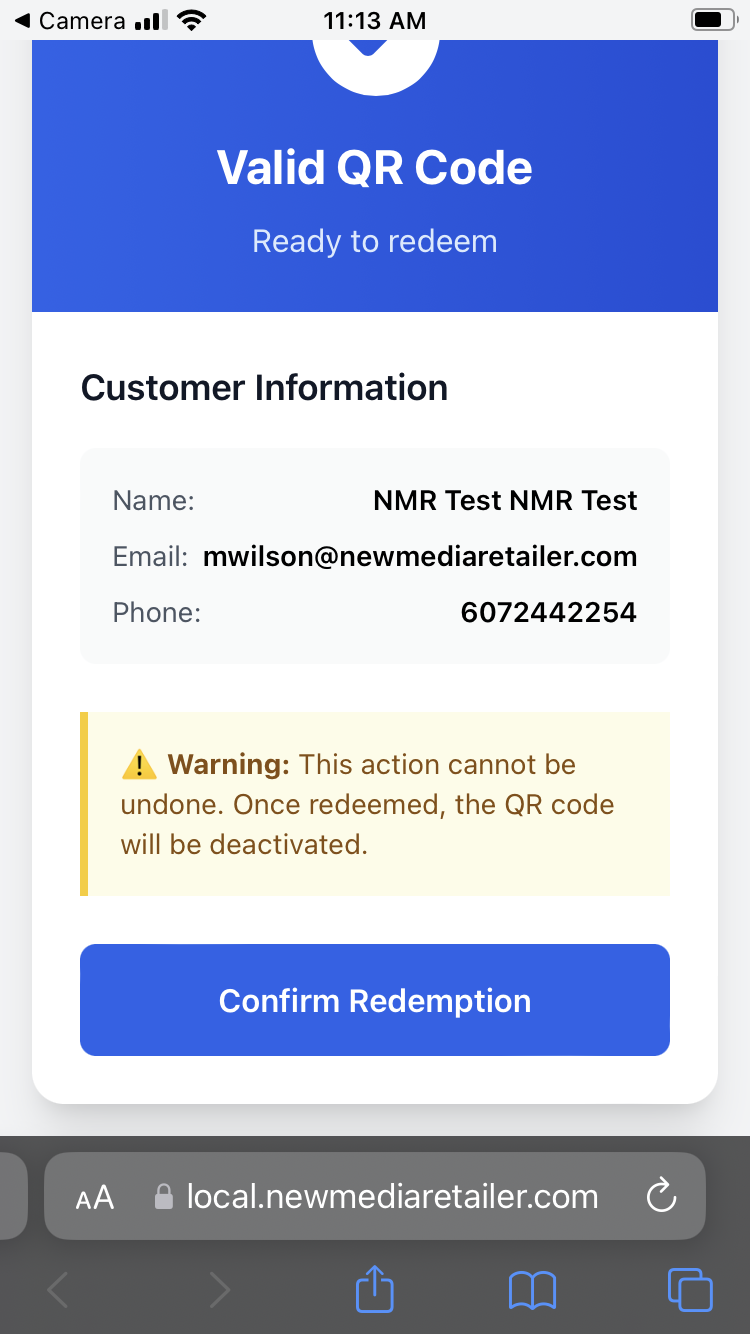
- The coupon is marked as “Redeemed,” and the cashier should enter the discount manually in your POS system.
- Every new sign-up is automatically added to your marketing list so you can email or text them again in the future — to promote your business or ask for more 5-star reviews.
If the coupon has already been redeemed, the cashier will see this error after scanning the QR code-
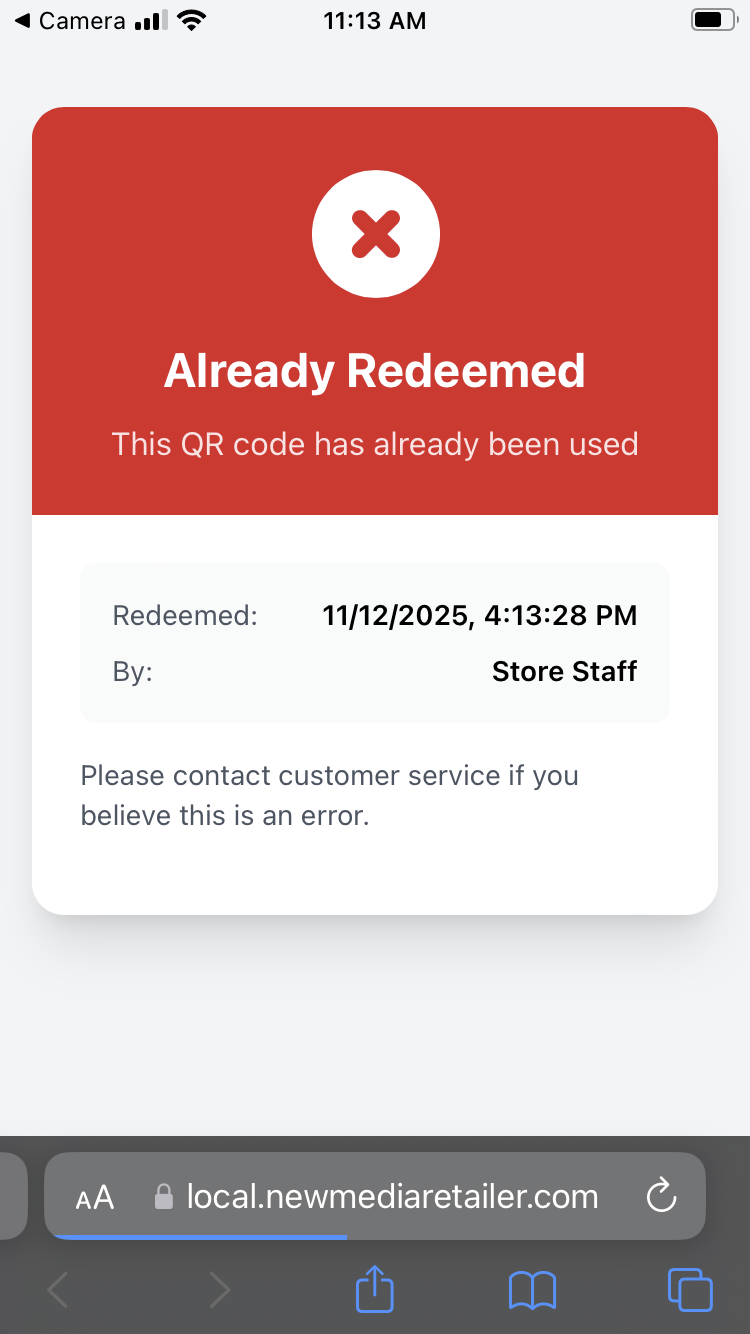
Please contact your Marketing Specialist with questions.
Was this article helpful?
That’s Great!
Thank you for your feedback
Sorry! We couldn't be helpful
Thank you for your feedback
Feedback sent
We appreciate your effort and will try to fix the article