Objective
This SOP outlines the steps to add custom products to your website, ensuring a smooth process for team members.
Key Steps
Step 1: Prepare Your POS File 1:05
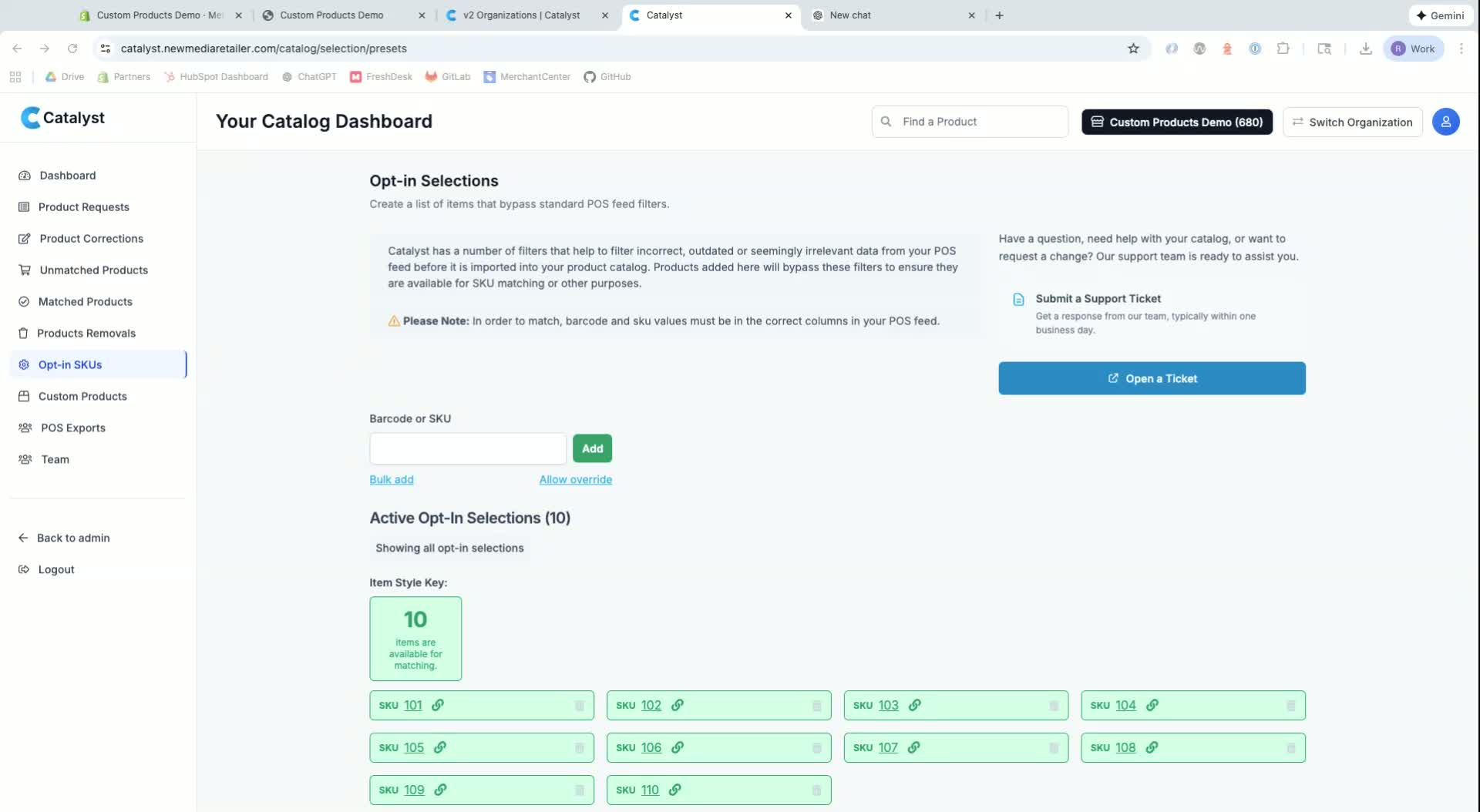
Ensure your POS file includes all relevant product data.
Identify any unique identifiers (SKUs) for products that do not have barcodes.
Step 2: Unlock SKUs 1:45
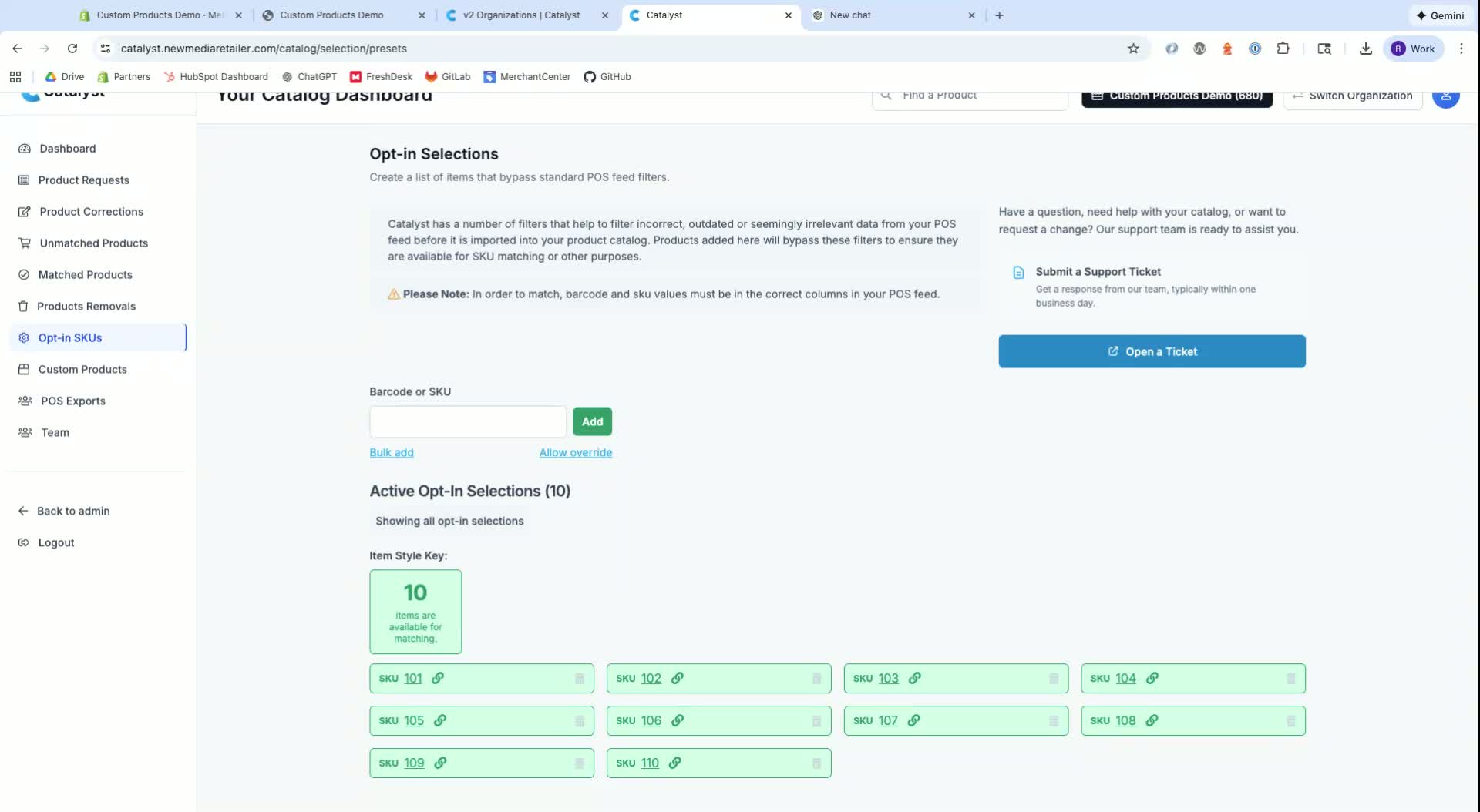
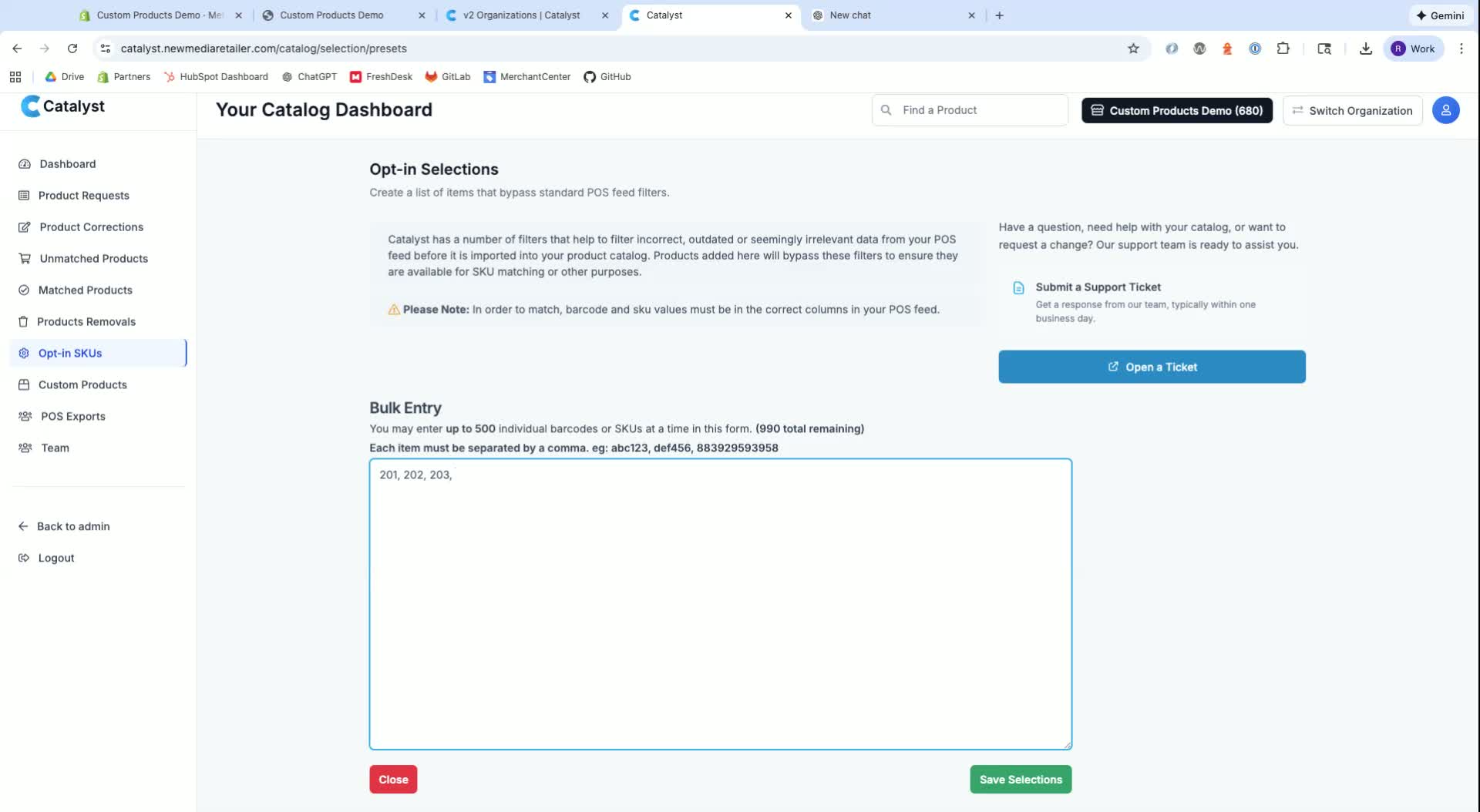
Access the system to unlock SKUs from your POS file.
You can unlock SKUs one by one or use the bulk add feature.
Step 3: Import SKUs 2:40
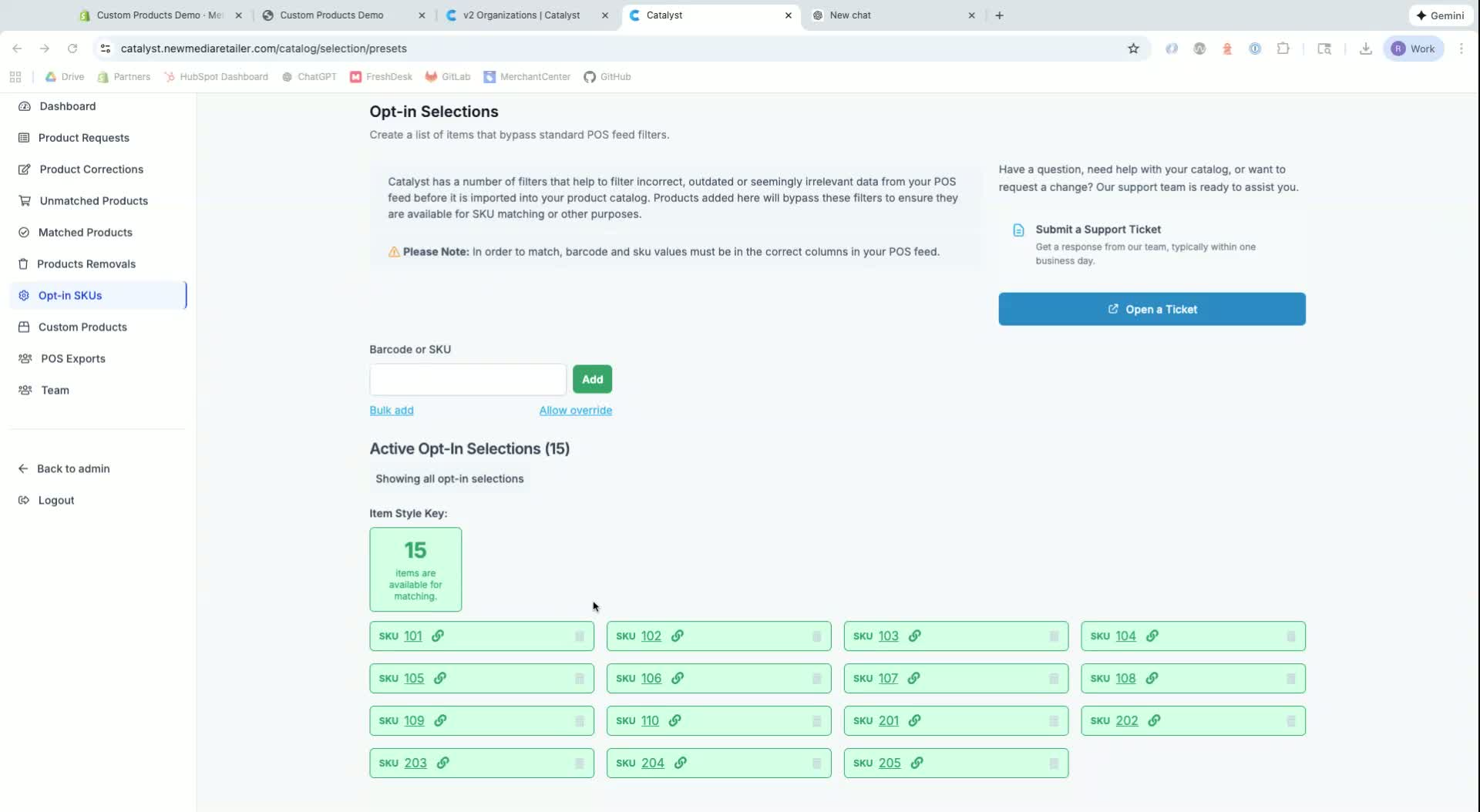
Run an import to unlock the SKUs in the system.
Note that imports run hourly or daily, depending on your settings.
Step 4: Add Custom Product 3:40
Click on the SKU to start adding a custom product.
Use the search tool for catalog items if necessary.
Step 5: Create Product Details 4:40
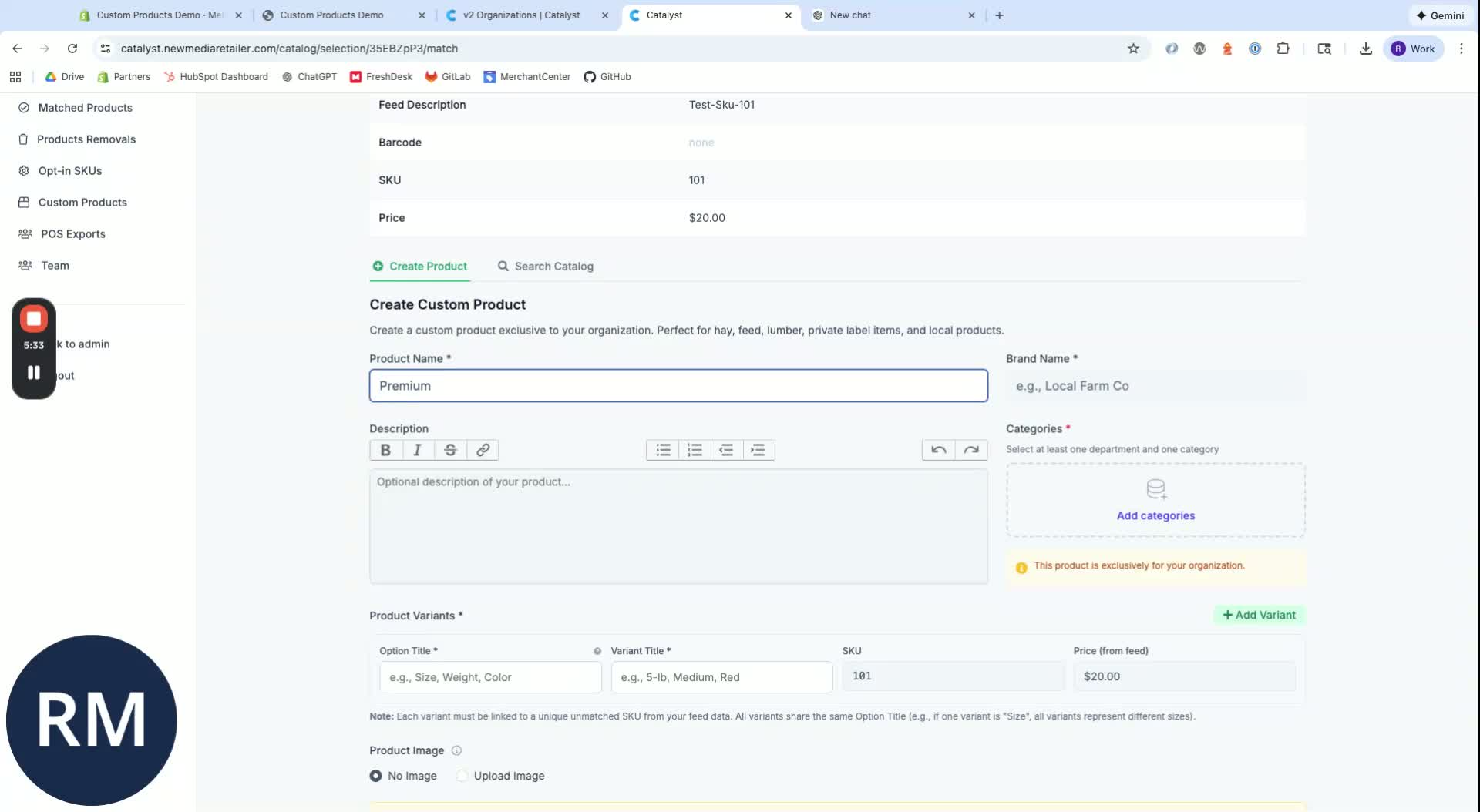
Enter the product title and description.
Assign categories and departments to ensure proper navigation on the website.
Step 6: Add Variants 6:44
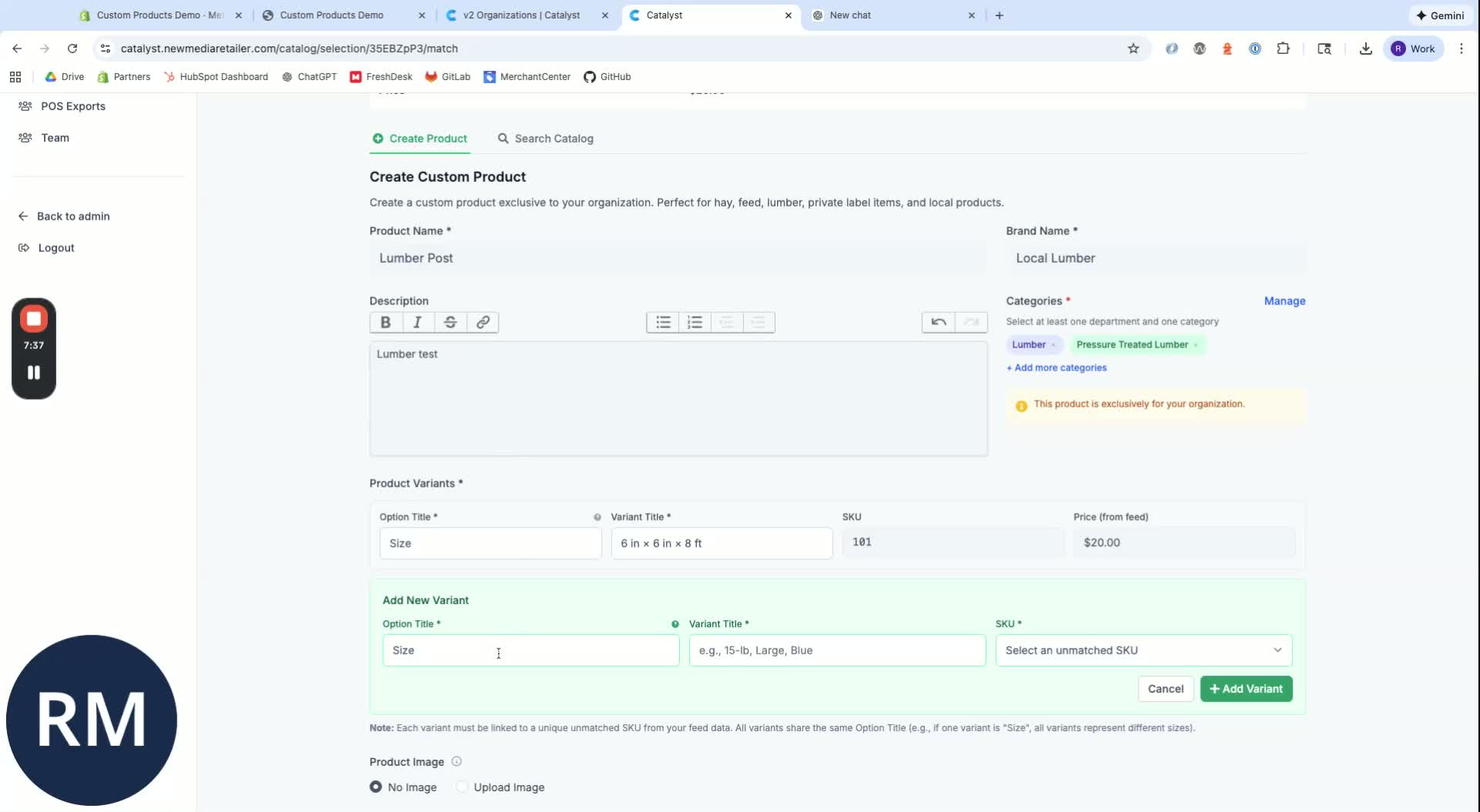
If the product has multiple sizes or variations, add them as variants under the same product.
Step 7: Upload Images 7:19
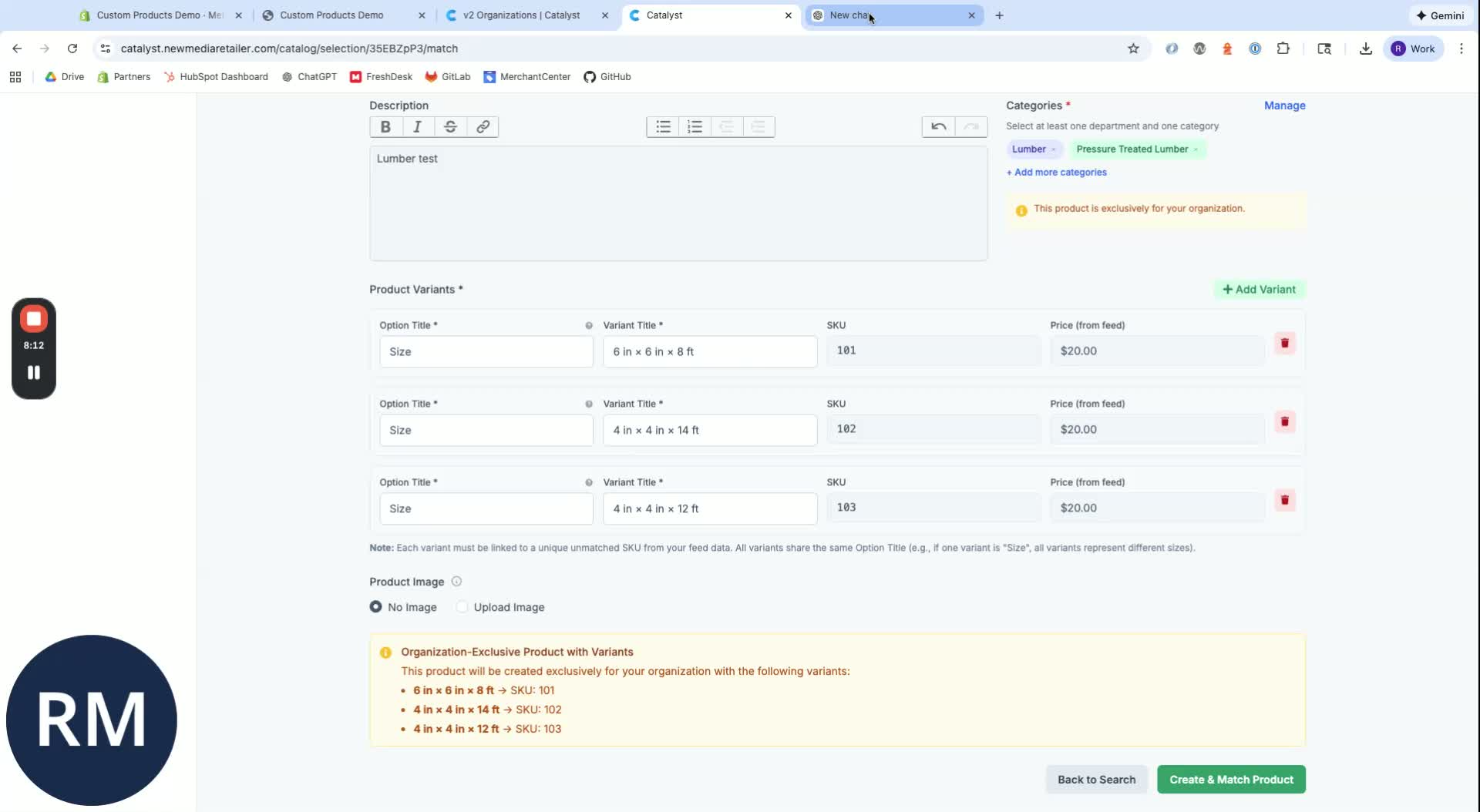
Use your phone to take pictures or utilize AI platforms to find images.
Upload the images to the product listing.
Step 8: Save and Create Product 8:02
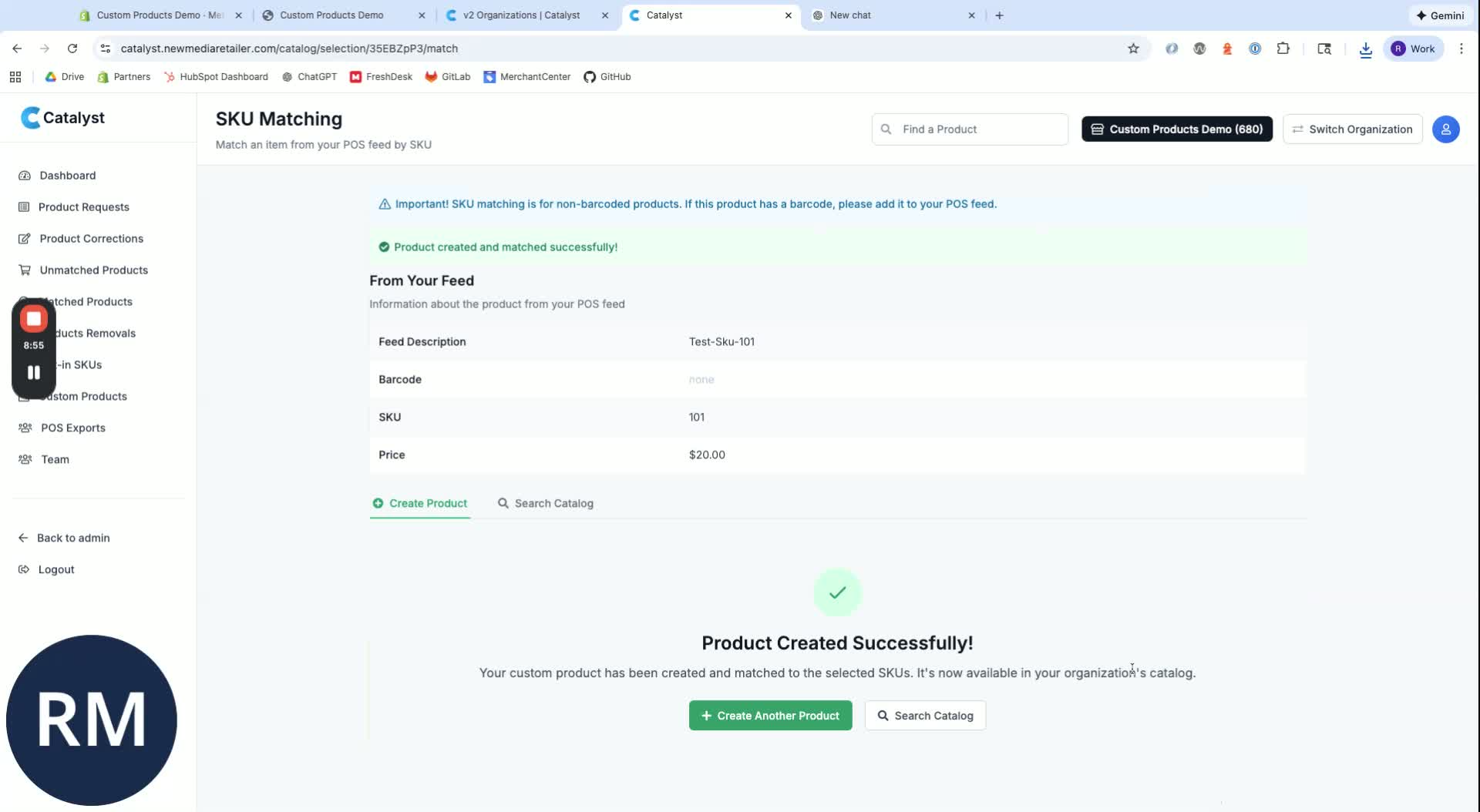
Save the product details and confirm the creation of the product.
Step 9: Sync Product to Website 9:00
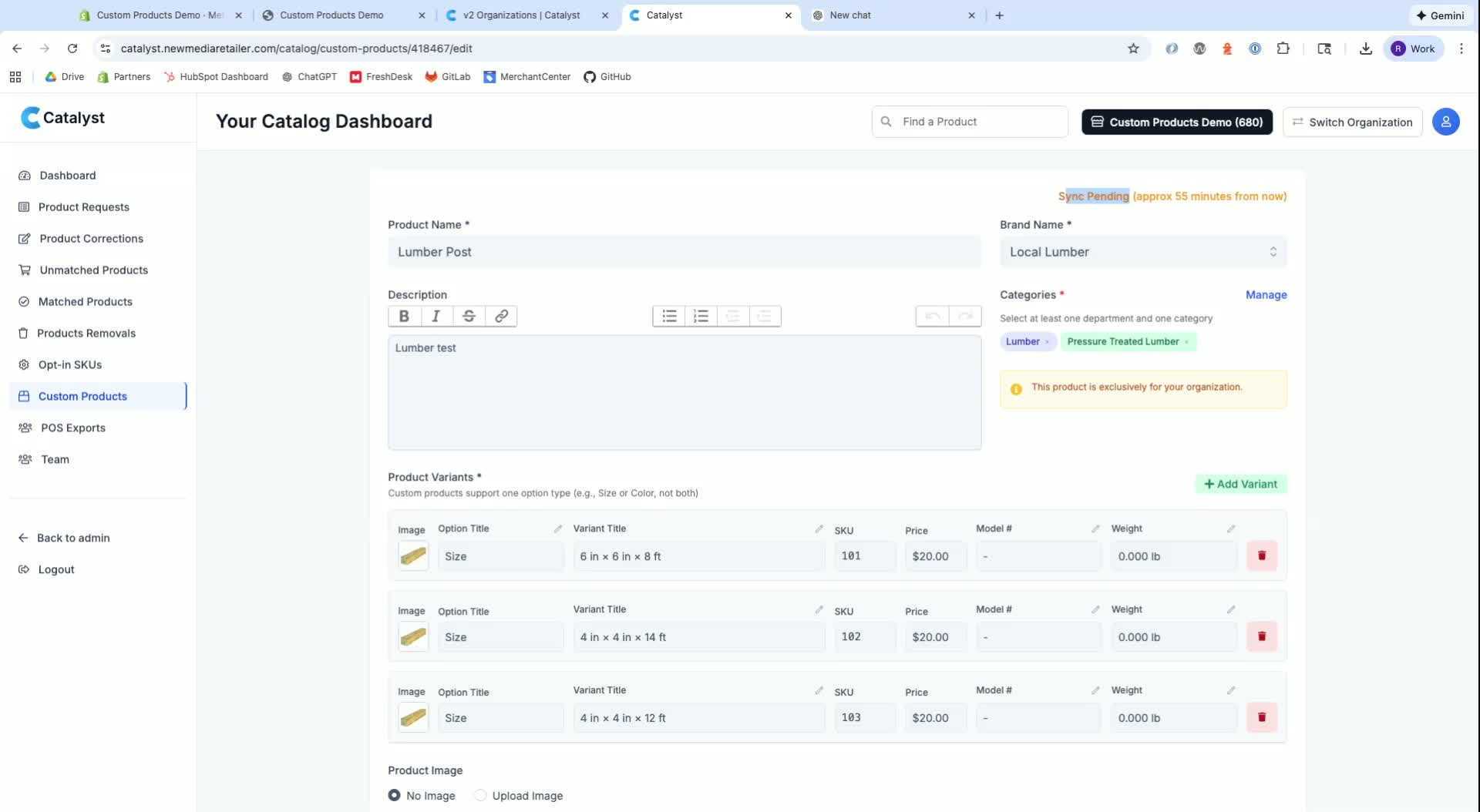
Wait for the product to sync to your website, which may take up to an hour.
Step 10: Verify Product on Website 9:29
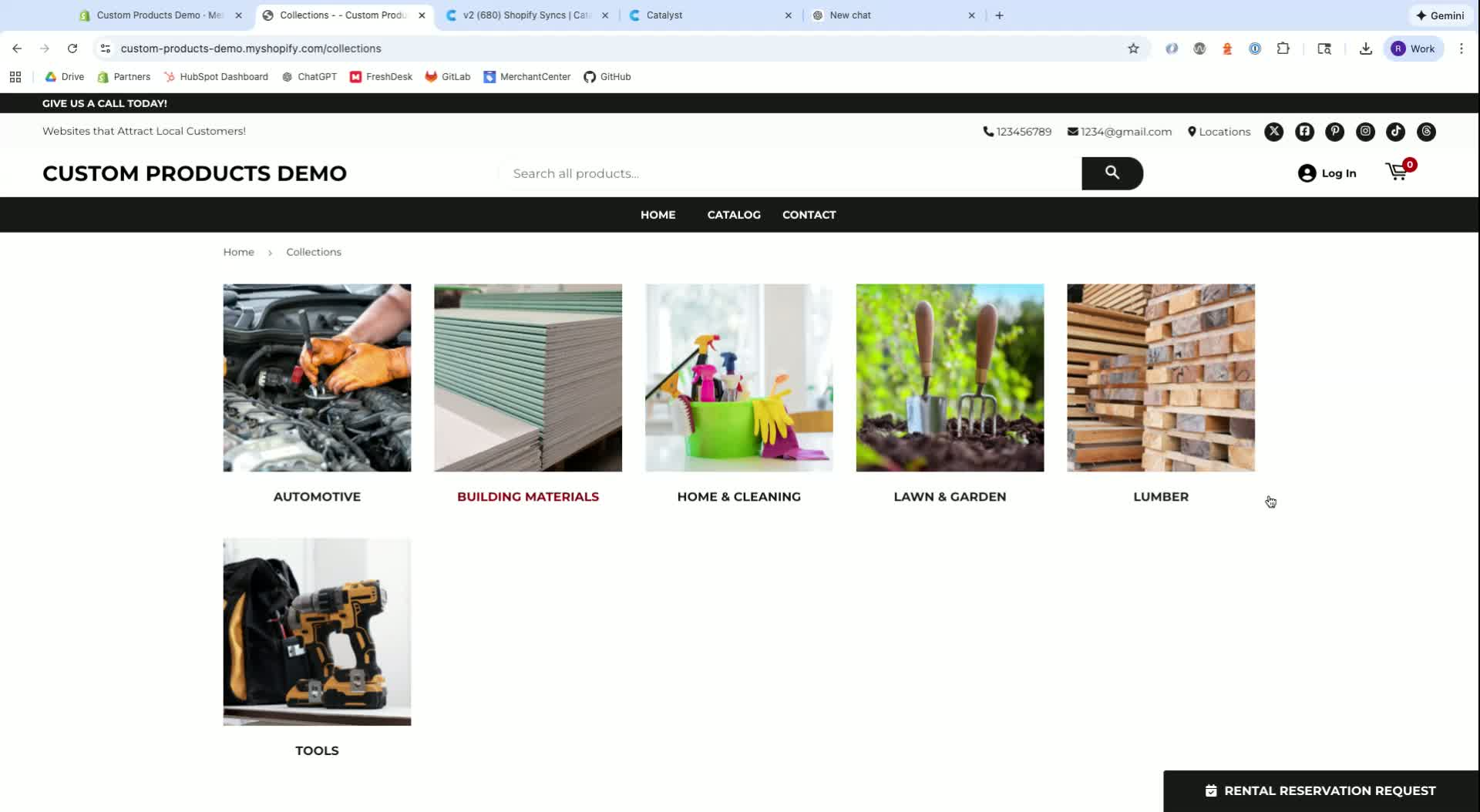
Refresh the category page to ensure the new product appears correctly.
Cautionary Notes
Always ensure that categories and departments are filled out to avoid navigation issues on the website.
Double-check that images are appropriate and relevant to the product being added.
Tips for Efficiency
Consider sending a comma-separated list of SKUs to the team for bulk unlocking if you have many products to add.
Use AI tools like ChatGPT to quickly generate product images and descriptions.
Link to Loom
Was this article helpful?
That’s Great!
Thank you for your feedback
Sorry! We couldn't be helpful
Thank you for your feedback
Feedback sent
We appreciate your effort and will try to fix the article