Please note: this integration has an annual fee
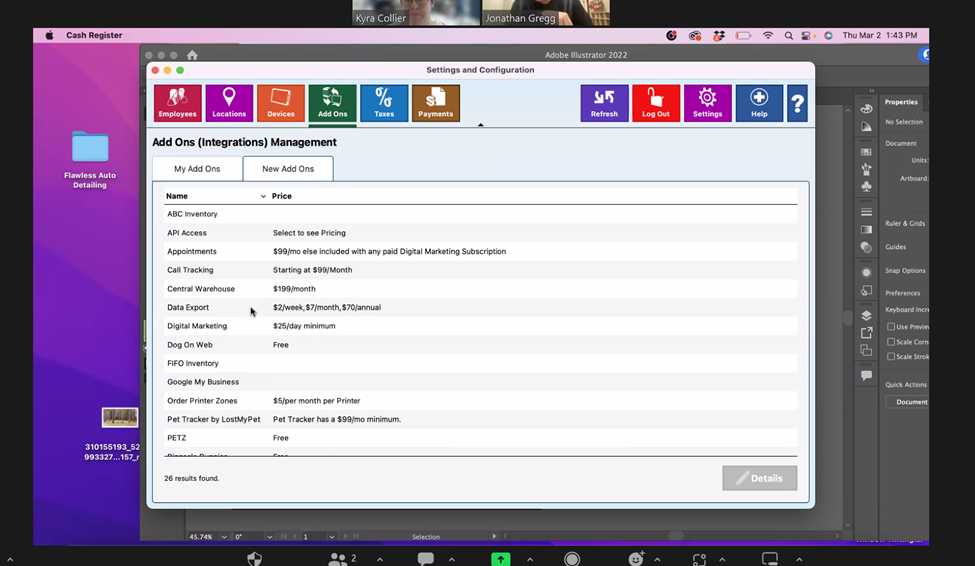
STEP 1: Go into Settings & Configuration > New Add Ons > Select ‘Data Export’:
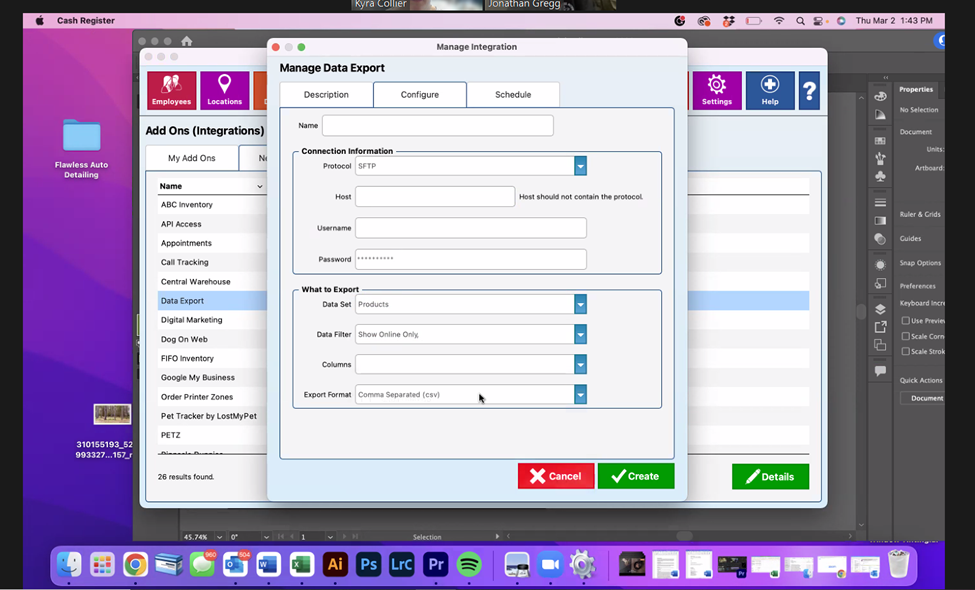
STEP 2: Go to the Configure tab > NMR will provide FTP credentials under Connection Information via phone or email > Ensure the ‘What to Export’ box is filled out:
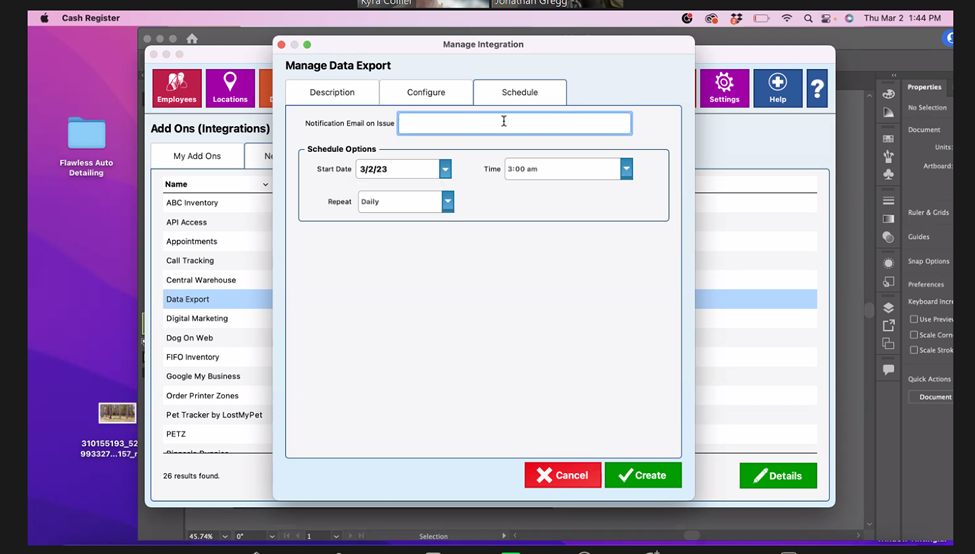
STEP 3: Go to the Schedule tab > Customer will enter their email address in the ‘Notification Email on Issue’ field > Ensure ‘Schedule Options’ are filled out and Repeat Daily is selected > Click Create
Was this article helpful?
That’s Great!
Thank you for your feedback
Sorry! We couldn't be helpful
Thank you for your feedback
Feedback sent
We appreciate your effort and will try to fix the article