If you've run into a technical issue - your website, your POS integration, your product catalog - this guide walks you through submitting a request so it reaches the right expert directly, without going through your Marketing Specialist first.
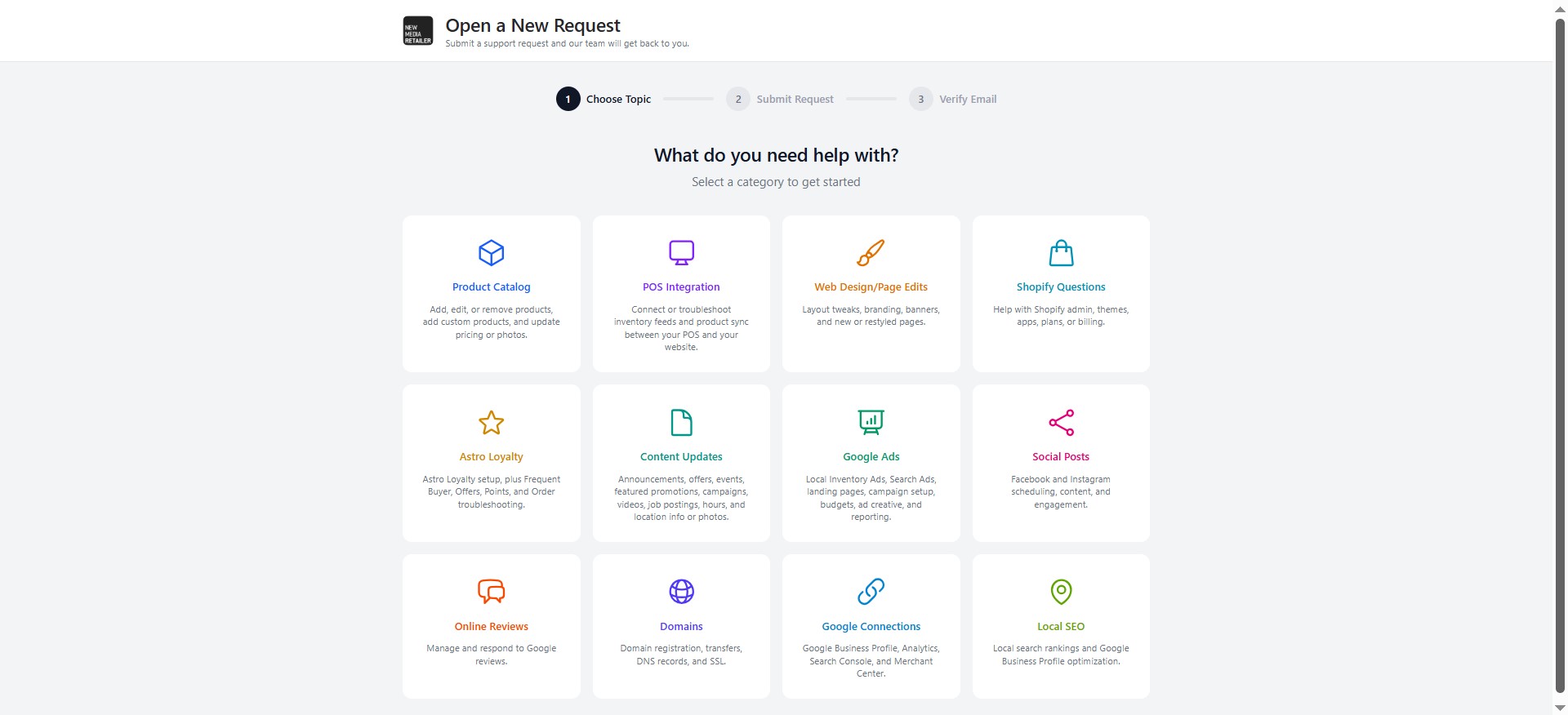
Step 1: Choose your topic
- Go to the Helpdesk request form
- Select the category that best matches your issue (Product Catalog, POS Integration, Web Design/Page Edits, Shopify Questions, Astro Loyalty, Content Updates, Google Ads, Social Posts, Online Reviews, Domains, Google Connections, or Local SEO)
Step 2: Fill in your request
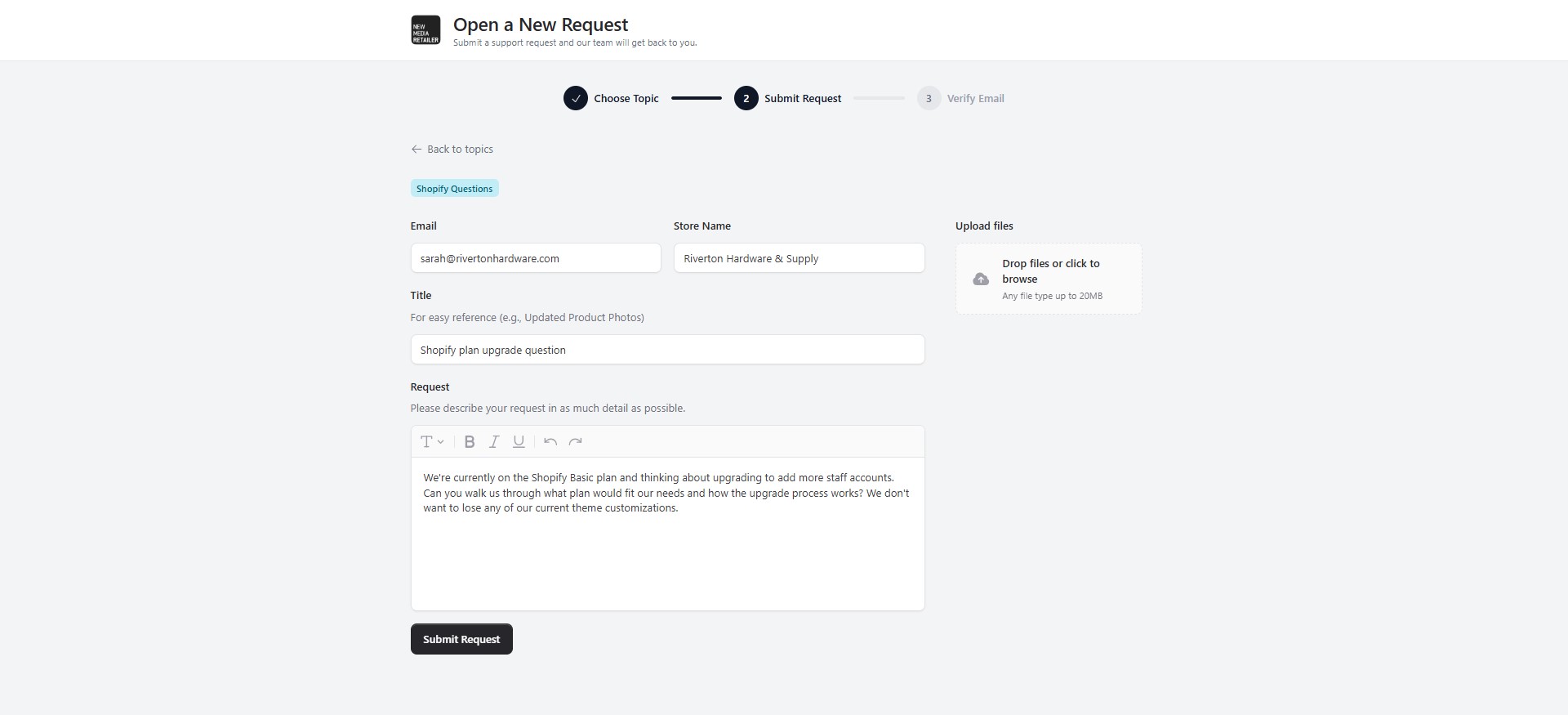
- Enter your email address and store name
- Add a short title for easy reference (for example, "Updated Product Photos")
- Describe your request in as much detail as possible
- Optionally, upload any relevant files or screenshots (up to 20MB)
Use a clear, specific description to help your request move faster. Instead of "products missing," try "15 products in our new Rental category aren't showing on the site, even though they're active in our POS."
Step 3: Verify your email
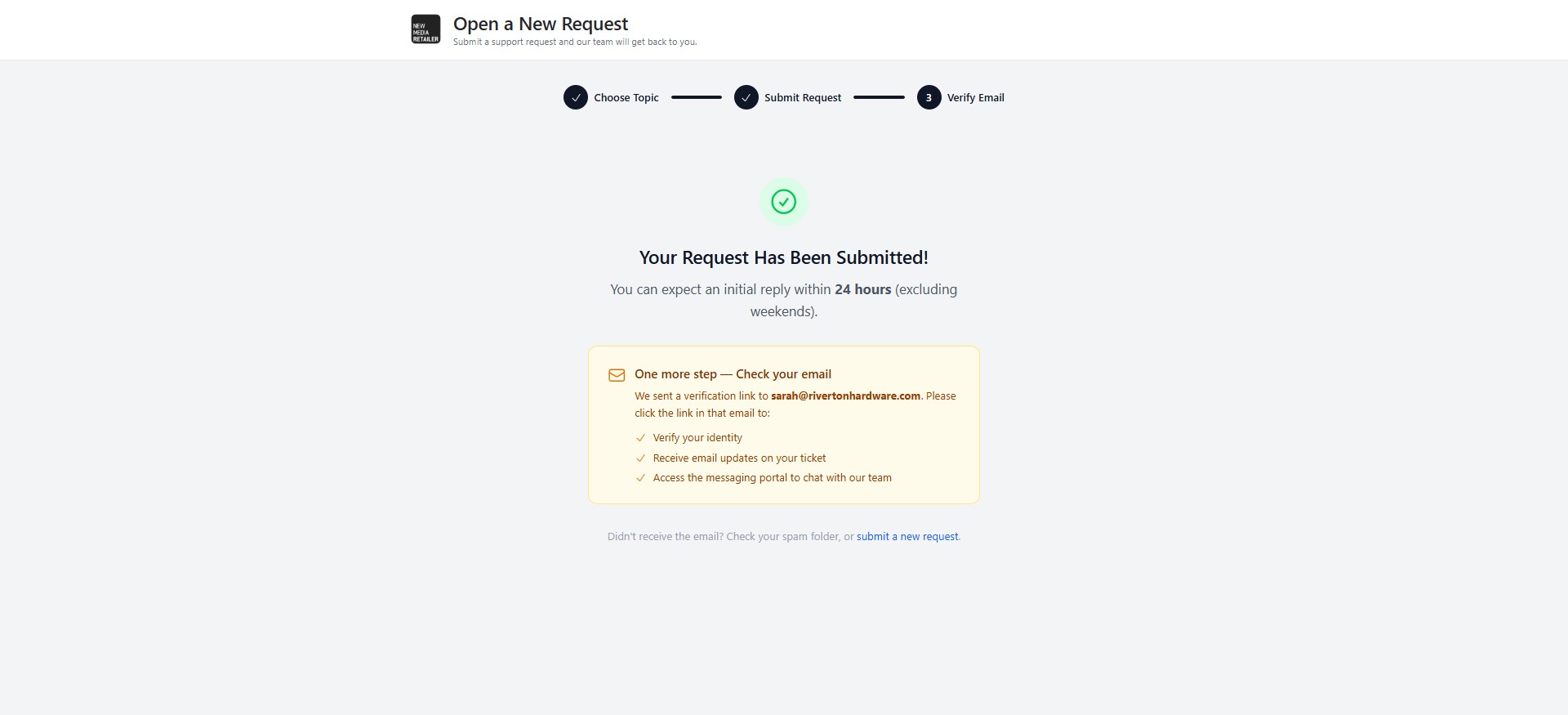
- Confirm your email address to complete the submission
- Once verified, your request is automatically routed to the right expert on our team
Next: Have more questions? Check out our NMR Helpdesk FAQ.
Was this article helpful?
That’s Great!
Thank you for your feedback
Sorry! We couldn't be helpful
Thank you for your feedback
Feedback sent
We appreciate your effort and will try to fix the article